
As AI agents move from answering questions to taking action, the security question shifts with them: it’s no longer just what a model might say, but what it can do to your systems and your intellectual property.
At Apartment 304, our clients range from small startups to Fortune 100 clients that require security boundaries and validation on every change. Supporting both means we can’t rely on trust alone.
This post assumes you’re already comfortable with the AI landscape such as picking a provider, running an agent locally, and pointing the agent at a codebase. Here we’re focusing on what happens after that. Once an agent has a foothold on your machine, how do you keep it contained?
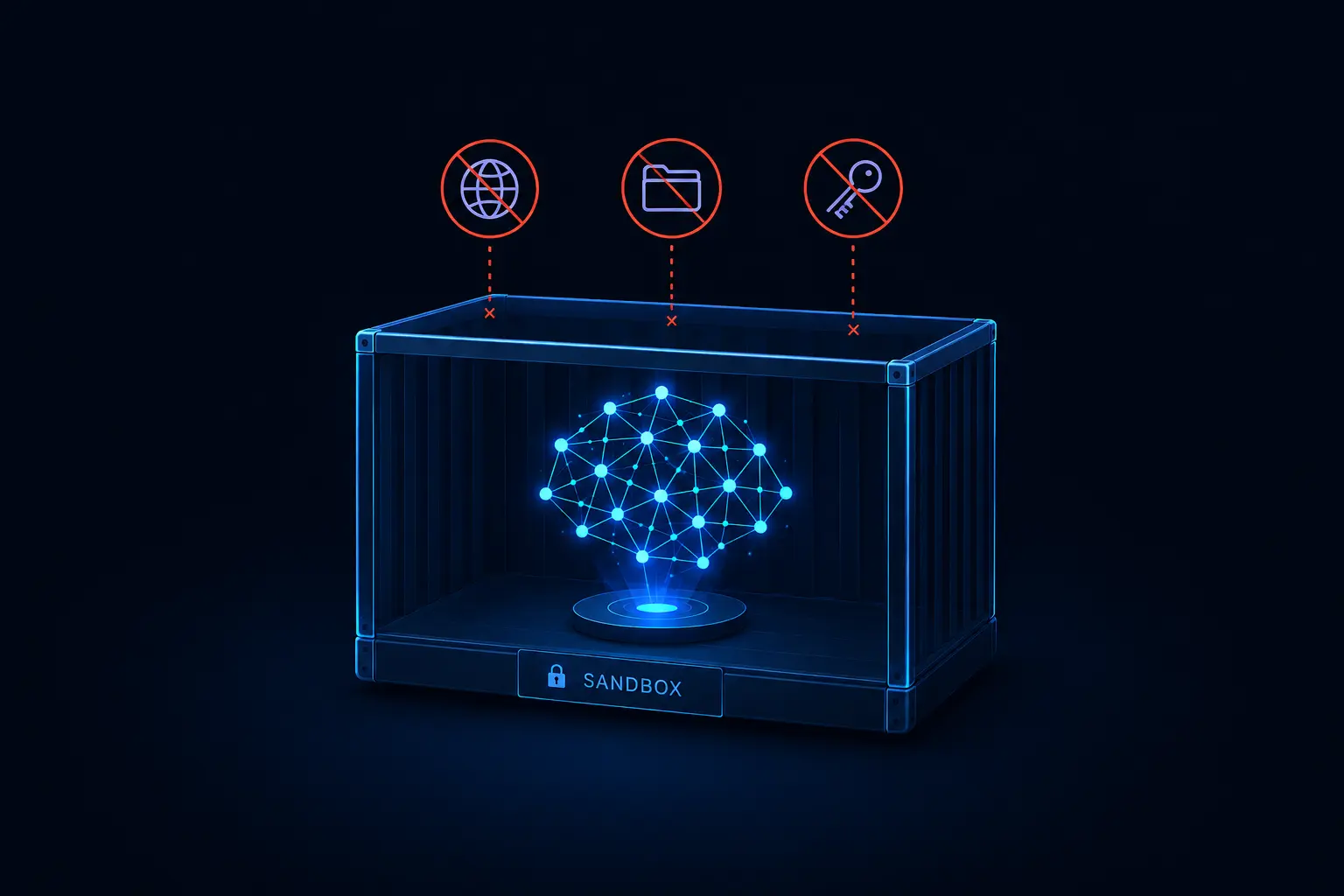
Below are the three security concerns we wanted to focus on when running the agent locally:
- Sandboxing the agent, so an npm supply-chain attack can’t reach the rest of the machine
- Controlling internet access, so a compromised or misdirected agent can’t quietly leak credentials
- Hiding secrets and environment files, so an agent can’t delete our production database (source )
No single control handles all three on its own, so we layered them using a Swiss cheese security approach. While each individual control has gaps, stacking them together makes those gaps significantly smaller. These are the building blocks of that layered model.
Containerize the Agent
The basis of our security model is isolating the agent from the host machine, then layering guardrails on top. We view an agent as untrusted code, so sandboxing it reduces the blast radius if something goes wrong.
Our team works primarily on macOS, allowing us to work with Apple’s native container tooling as our virtualization layer.
For those less familiar: Apple announced its open-source container tooling (the Containerization Swift package and the container CLI) at WWDC 2025, released under the Apache 2.0 license. It’s a standalone tool, not something bundled into the OS, but it does require macOS 26 (Tahoe) to run, since it depends on virtualization and networking capabilities Apple added in that release.
The interesting part isn’t that it’s “another container runtime,” it’s the isolation boundary. Most container tooling on Mac (Docker Desktop, Podman) works by running a single shared Linux VM and launching every container as a process inside it. This is the same way containers work on Linux: process-level isolation on a shared kernel. Apple containers, on the other hand, each get their own lightweight VM via Virtualization.framework. There’s no shared kernel between containers. Each one is a hardware-isolated virtual machine, similar in spirit to Kata Containers or Firecracker. If an agent escapes its container, it lands in a VM boundary, not a shared kernel next to every other container you’re running. This reduces the blast radius of a container-escape vulnerability.
Once the agent is containerized, we can then implement additional guardrails such as restricting file and internet access.
Controlling the Internet
Containerizing the agent stops it from touching the rest of your machine. It does nothing to stop the agent from touching the rest of the internet.
That distinction matters because an agent’s most dangerous action is often outbound, not local. A compromised or misdirected agent with a live network connection can exfiltrate your source code and local secrets. The threat isn’t limited to a malicious model; it can also be a supply-chain attack riding in on a dependency the agent installed on your behalf, or a prompt injection buried in a file the agent read.
Our posture is simple: no internet by default. The agent has no route out to the wider internet because the agent’s container is placed on an internal network that can only reach your host machine. The agent can still hit a local dev server, a database, or a model runner you’re running yourself. If a task genuinely requires outbound access, such as installing a package or calling a hosted API, then that’s an explicit opt-in on a per-project basis; not the default state of every agent you run.
This flips the usual assumption. Most local tooling defaults to full network access and asks you to lock it down after the fact, which means the moment you forget, you’re exposed. Defaulting to no internet means the failure mode of doing nothing is the safe one.
Limited File Access
The last thing standing between an agent and your machine is the filesystem.
An agent working on a single project has no need to see your SSH keys, your shell history, unrelated repos, or the .env file sitting three directories up from the one it’s actually working in. So another layer of protection is scoping the agent’s filesystem view down to exactly what a task requires, and nothing else.
This is applied in two different ways — mounting and masking. Mounting files onto the agent’s container so that the agent only sees the directories you explicitly share with it (typically the project it’s working on). Everything else on the host is simply invisible; there’s no path for the agent to traverse into. Even within a directory you do mount, some files still shouldn’t be visible, such as .env files. Masking overlays those specific files and folders so they read as empty from inside the container, while remaining untouched on your host.
Together, these reduce the impact of a compromised agent or malicious dependency. The agent can’t read a secret it never sees, and it can’t wander into a part of the filesystem it doesn’t know exists.
(Optional) Self Hosted Models
To round it out, the last security measure is hosting the LLM yourself.
Every layer described so far assumes you’re still sending your code to a third-party model provider over the network. For most teams, that’s an acceptable and necessary tradeoff. But for clients with stricter requirements, the strongest version of “controlling the internet” is removing the need for the internet in the first place.
Running a model locally (or on infrastructure you control) means the agent’s reasoning never has to leave your environment. Since local models trade off some capability, and you take on the operational burden of running inference yourself, we treat it as an optional layer because it’s a heavier lift. Self hosted models compose cleanly with the other solutions discussed above. Point the agent’s container at a model endpoint running on your own host, and the “no internet” network mode from earlier becomes not just a safety default but a hard guarantee.
Stacked together, an isolated VM boundary, no internet by default, a curated filesystem, and an optional model that never leaves your machine, are the slices we rely on at Apartment 304. No single solution is airtight, but layered on top of each other, they provide a solid foundation to build upon. It’s the model that’s worked for us so far.